Attributes Page
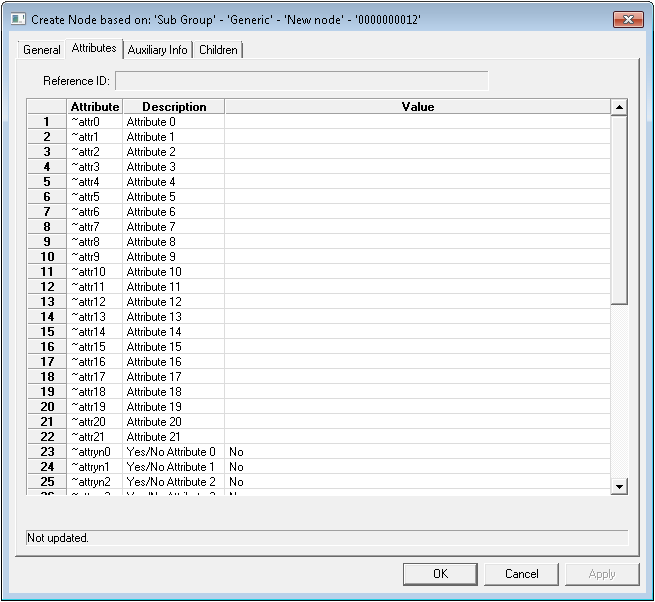
Use the Attributes page of the Group Service editor to configure GRP node attributes. The GRP node attribute identifiers shown below appear in various places in the node property sheets accessed from both the GRP service and the Group Manager utility. They are unique to the GRP; do not confuse these with facility and device attributes.
|
Group Service Editor - Attributes Page |
Attributes Page Properties
The following table lists and describes the Attributes page properties of the GRP editor.
For more information, see also Node Category, Type, and Attribute Identifier.
| Property | Description |
|---|---|
|
Reference ID |
Corresponds to the reference entity ID selected on the General page. If this field is populated, the relevant attributes for the referenced entity appear below it. If it is blank, the attributes that appear below are unique only to the node itself, not a reference item. |
|
Attribute |
An attribute is a characteristic of a thing. Here, they are the abbreviated IDs of attributes associated with a GRP node. This could be for the node itself or a referenced entity. |
|
Description |
The attribute description. This could be for the node itself or a referenced entity. |
|
Value |
The value for a given attribute. This could be for the node itself or a referenced entity. |
|
Hierarchy Definition |
Nodes with a Node Category setting of Root Group (R) generate a Hierarchy Definition field with a Browse button at the bottom for the Attributes dialog box. This enables you to assign different hierarchy definitions to different root groups. |
|
Clear |
Click to clear the Hierarchy Definition field. |

